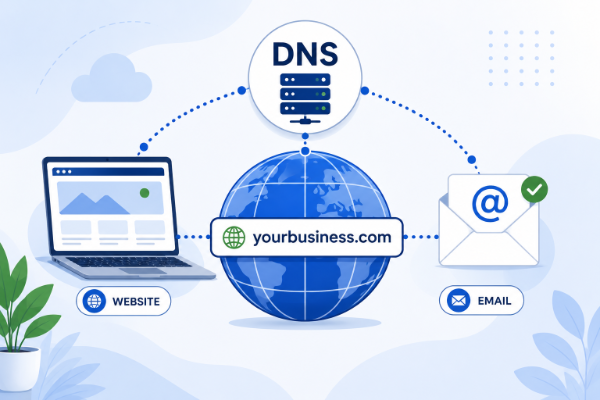

If you’ve ever heard your web developer mention “DNS records” or “updating your DNS,” you might have nodded along while secretly wondering what they were talking about.
You’re not alone.
DNS is one of those technical terms that sounds intimidating, but the basic idea is actually pretty simple.
Think of DNS as the Internet’s Phone Book
Every website has an IP address, which is a series of numbers that tells computers where a website lives.
For example, instead of remembering something like:
192.0.2.123
you simply type:
yourbusiness.com
DNS translates your domain name into the correct IP address so your browser knows where to go.
Without DNS, we’d all have to memorize long strings of numbers instead of easy-to-remember website names.
What Happens When You Visit a Website?
Here’s what happens behind the scenes:
- You type yourbusiness.com into your browser.
- Your computer asks the DNS system where that domain is located.
- DNS responds with the correct server address.
- Your browser loads the website.
All of this usually happens in less than a second.
Why Does DNS Matter?
Even if you never manage DNS yourself, it’s responsible for many important parts of your online presence.
DNS helps direct:
- Your website
- Your email
- Subdomains
- Verification for services like Google Search Console and Microsoft 365
- Security settings that help protect your email
In other words, DNS isn’t just for websites, it directs traffic for much of your online business.
Common Reasons DNS Gets Updated
There are several situations where DNS changes are necessary.
Moving Your Website
If you switch hosting providers or web developers, your domain usually stays the same.
The DNS simply gets updated to point visitors to the new server.
Setting Up Professional Email
If you use Microsoft 365 or Google Workspace, you’ll likely need DNS records so your email can be delivered properly.
Adding a Subdomain
Want a support portal at:
support.yourbusiness.com
or a blog at:
blog.yourbusiness.com
DNS makes that possible.
Verifying Ownership
Many online services ask you to add a special DNS record to prove you own your domain.
Google, Microsoft, and many marketing platforms use this method.
What Are DNS Records?
You don’t need to memorize these, but you’ll probably encounter them.
A Record
Points your domain to a website server.
CNAME Record
Creates an alias that points one name to another.
MX Record
Directs email to the correct mail server.
TXT Record
Stores information used for verification and email security.
If your developer asks you to add one of these records, they’re simply telling the Internet where certain services should go.
Does Changing DNS Break My Website?
Usually, no.
If the new DNS records are entered correctly, visitors may never notice the change.
However, DNS updates can take anywhere from a few minutes to 48 hours to fully spread across the Internet.
During that time, some visitors may see the old website while others see the new one.
This is completely normal.
Who Should Control Your DNS?
Ideally, you should always have access to your domain registrar.
Your webmaster may control your DNS settings or even your hosting account, but I always recommend clients control their own domain registrar. That gives you flexibility if you ever change providers.
Final Thoughts
DNS sounds complicated, but it’s really just the system that tells the Internet where your website, email, and other online services live.
You probably won’t need to work with it very often, but understanding the basics makes conversations with your web developer much easier and helps you avoid common mistakes.
If you’re ever unsure about changing DNS settings, it’s worth asking questions before making changes. A small mistake can temporarily affect your website or email, but it’s usually easy to avoid with a little planning.
If you’d like another set of eyes on your website or DNS setup, I’d be happy to help.